
Case study
Projector booking for Rockwell Hitec
Rockwell Hitec Ltd expanded into Epson projectors. Service requests were split across an inbox, a spreadsheet, and Epson’s own tools, which slowed data entry and made a wrong serial easy to introduce. We built a private workshop system that takes the email in, lines the jobs up, and walks staff through the repair.
- RockwellHitec Ltd, Epson partner
- IMAPService emails become jobs
- WorkflowStep-by-step workshop repair
- ScanSerial and barcode matching
The problem
Two systems, and a spreadsheet in between
Rockwell Hitec took on Epson projector repairs, and the paperwork did not keep up with the bench. A service request arrived by email. Someone typed it into a spreadsheet. Someone else checked the same job in Epson’s internal tools. Every extra copy was time, and a mistyped serial or a missed email tended to show up later, often once a unit was already in the workshop.
The repair itself needed a path too. Once a projector was in the building, the next person had to see which stage it was at, including someone on their first week.
What we built
From the Epson email to a finished repair
Three parts, in the order the workshop uses them. Staff sign in to a private system.
Waiting to Arrive
A custom IMAP scraper reads Epson service-request emails and opens each one as a job in a Waiting to Arrive queue. The request is in the workshop system as soon as the email lands.
The repair steps
Once a projector is in the building, the job moves through a fixed workshop sequence. Each stage is a step on the screen, so the next action is visible.
Serial and barcode match
Serial numbers are matched to the job, including from a barcode scan. A scan or a checked serial identifies the projector.
On screen
Workshop screens
Screens from the live workshop system. The jobs shown are test jobs, and part numbers are blurred.
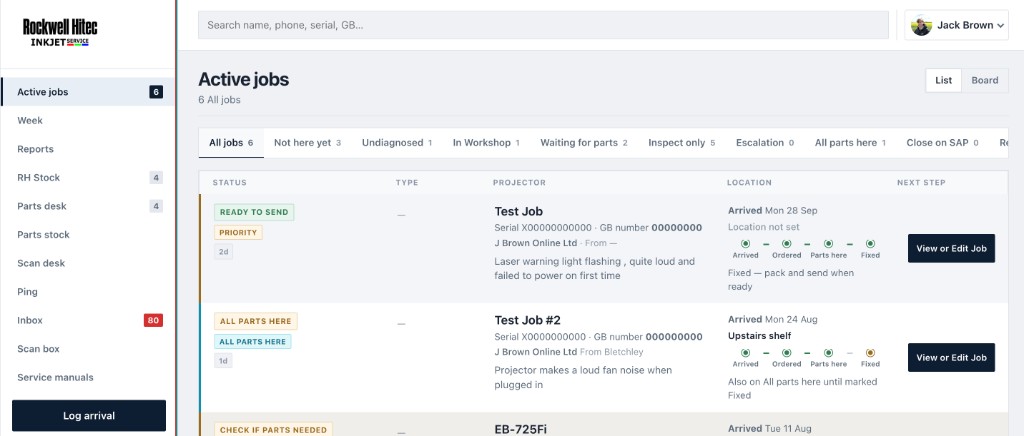
Active jobs. Every projector in one list, with tabs for each stage. Not here yet is the Waiting to Arrive queue that the Epson emails feed. Each row shows the progress line and the next step.
Shown with test jobs and placeholder serial and GB numbers.
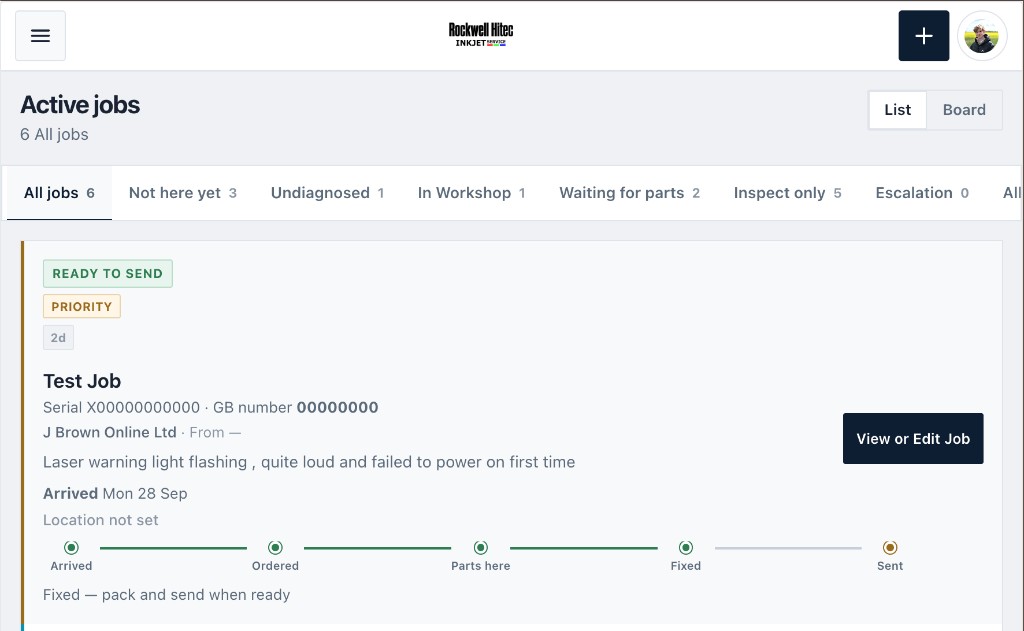
The same list on a smaller screen. The layout redesign kept the job, the progress from Arrived to Sent, and the next action readable at a glance.
Test job with a placeholder serial.
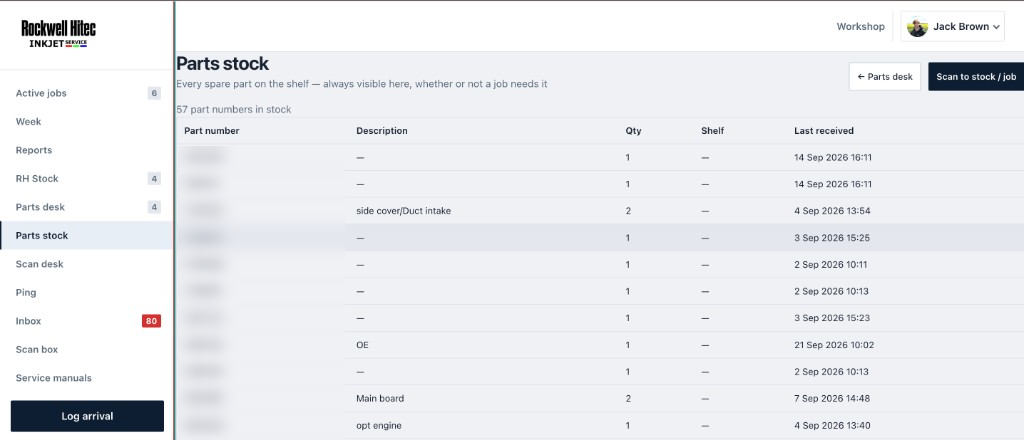
Parts stock. Every Epson spare on the shelf, with quantity and the date it came in, ready to go to a job. Scan to stock / job books a part in or onto a repair.
Part numbers blurred.
Along the way
Two problems that shaped the build
Manual intake
The slow, risky part was copying an Epson email into a spreadsheet and then checking it again in Epson’s own tools. Parsing those emails over IMAP removed that copy step. A job appears in Waiting to Arrive on its own.
A dense workshop screen
The first layout packed too much into one view. People who already knew it could cope. Someone new could not. We redesigned the columns and the page layout in rounds with the staff who use it, until a new person can open a job and carry on.
The result
What changed in the workshop
Faster turnaround
Jobs move through much sooner. Intake starts when the Epson email arrives, rather than when someone has time to retype it.
Near-zero entry errors
The serial on the job is matched, not copied from one system into another. Mistakes from that retyping are now rare.
Smoother onboarding
New staff can follow the screen. The handover is a short introduction, because the steps are already laid out.
Ready for scanners
With serial matching in place, Rockwell Hitec invested in laser barcode scanners. A scan does the identification a typed serial used to do.
The workshop stays behind staff sign-in. Screenshots on this page use test jobs with placeholder serial and GB numbers, and part numbers are blurred. Real customer names, email addresses, and serial numbers are left out.
A system your team uses every day
If a spreadsheet or a supplier portal is slowing the work down, we can scope a tool around how your workshop already runs.